Project 6 Light Up Stars
1.Description
When it comes to stars, we often describe them with a host of sound words, which like bright eyes and silver lamps. Thus, in this project, we seek to make a experiment named “Light Up Stars”.
Task analysis
Sensor |
Button Module |
|---|---|
Role |
Stars |
Background |
Stars |
Result |
Press the button can light up stars in the night sky |
2.Button Sensor Introduction

keyestudio button module mainly uses a button component, which is a digital signal output device. There are 6 ports on the module and those marked in the same name are connected.
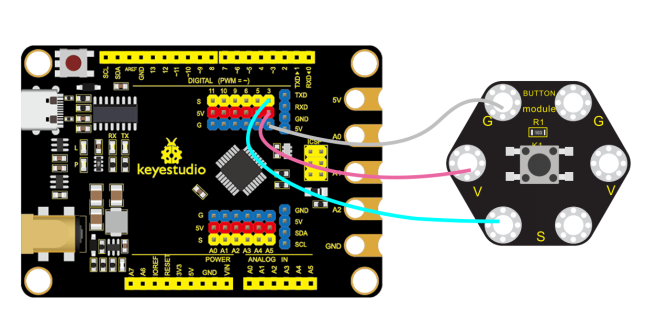
When using, we solely need to connect any G port to the GND port of the control board, V port to the 5V port and S port to the digital input port. When the button is pressed, the S signal port will input a high level signal, otherwise, it will output a low level signal.
Specifications
Operating voltage: DC 3.3~5V
Output signal:Digital signal
Dimension: 31mm27mm6.5mm
Weight: 1.8g
Environmental protection attributes: ROHS
3.Components Needed
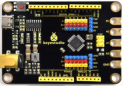
Control Board * 1 |
USB Cable*1 |
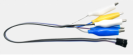
Alligator Clip Wire*3 |
Button Module*1 |
|---|---|---|---|
|
|
|
|


4.Connection Diagram
5.Test Program
1.Open“KidsBlock”software to create a new project.
2.Delete the beetle role.
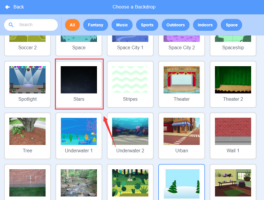
3.Select “Stars”:click the background library icon (1)in the lower right corner to select Stars.
4.Paint a star
①Select “Brush” and use the tool to draw a square with a filling color
 of no border
 .
.
② Select the tool ,click the center point of one side of the square and drag it down, as shown in figure 2.3.2. The operations of the other three edges are the same as above.
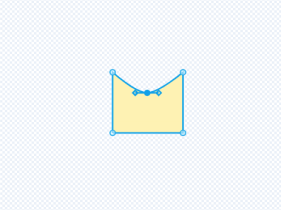
③Select the tool to adjust the role, then rotate the entire pattern and name the role star if it is adjusted.

5.Build the program
①Select “star”and build the program.
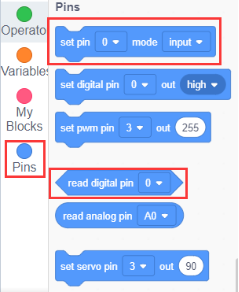
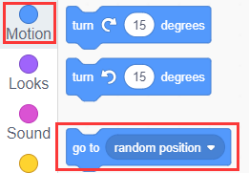
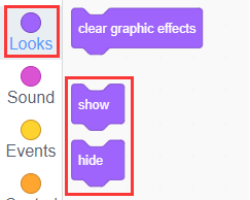
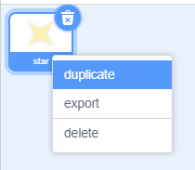
6.Copy the role star in the role area and increase the number of stars. At this time, the program and shape of the role will be copied together, and multiple copies can be made.
7.Save the project and name it“Light Up Stars”
6.Complete Program
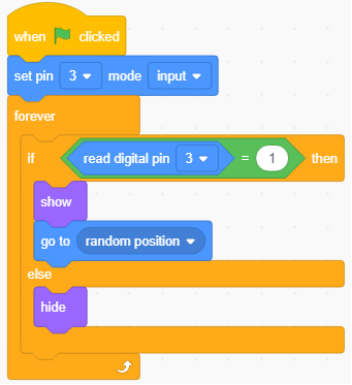
7.Test Result
Connect the device and select the port, then click to light up stars, as shown below:

8.Program Explanation
Instruction |
Function |
|---|---|
|
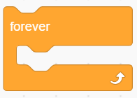
Execute it repeatedly |
|
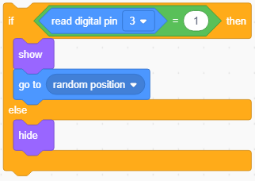
When the button is pressed, stars will be displayed randomly, otherwise, the stars will not be displayed |