Project 11 Intelligent Corridor Light
1.Description
When night falls, we always have to manually turn on the lights in the corridor. Is there a light that automatically turns on when it gets dark?
It is light-controlled intelligent lamp, which uses an ambient light sensor to sense the intensity of light in the environment to control the light on and off. In this project, we will learn the “light-controlled intelligent light”.
Task analysis
Sensor |
Ambient Light Sensor |
|---|---|
Role |
Abby |
Background |
Hall |
Result |
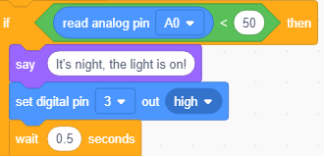
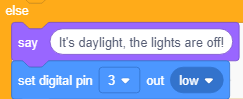
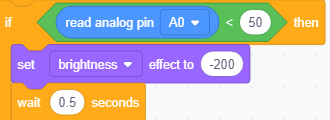
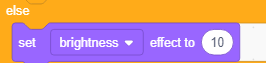
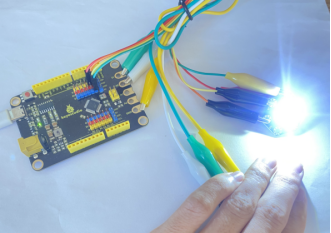
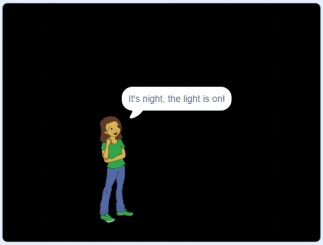
If the light intensity detected by the ambient light sensor is less than 50, Abby will say: It’s night, the light is on! And Hall will be dark,the LED will be on. Otherwise the Abby will say: It’s daylight, the lights are off! And Hall will be bright,the LED will be off. |
2.Ambient Light Introduction
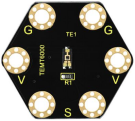
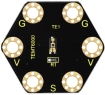
This keyestudio ambient light module is mainly composed of a highly sensitive visible photocell (NPN type) triode, which can magnify the captured tiny light illumination changes by about 100 times, and is easily recognized by the microcontroller for AD conversion.
Its response to visible light illumination is similar to human’s eyes, so it can detect the intensity of ambient light. It is an analog signal output device.
There are 6 ports on the module and those marked in the same name are connected. S end is connected to the signal end of the control board (A0-A5 ). We can judge the light intensity in the current environment by reading the analog value at the signal end.
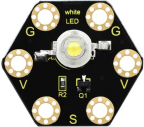
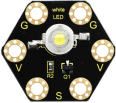
The Keyestudio 1W LED module has a maximum operating current of 400mA and a maximum power of 1W. There are 6 ports on the module and those marked in the same name are connected. G is GND, V is VCC and S is a signal port.
When the signal end is high level, the LED on the module will be on, otherwise, it will be off
Specifications
Ambient Light Sensor |
1W LED Module |
|---|---|
Working voltage: DC 3.3-5V |
Working voltage: DC 3.3-5V |
3.Components Needed
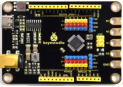
Control Board * 1 |
USB Cable*1 |
Connection Wires |
1W LED Module*1 |
Ambient Light Sensor*1 |
|---|---|---|---|---|
|
|
|
|
|


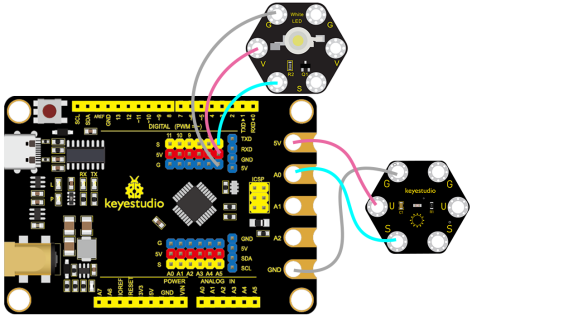
4.Connection Diagram
5.Test Program
1.Open“KidsBlock”software to create a new project.
2.Delete the beetle role
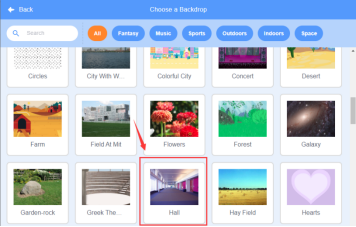
3.Select “Hall”:click the background library icon in the lower right corner to select Hall.
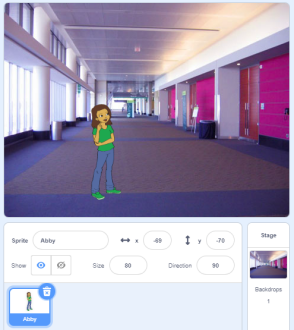
4.Select Abby, as shown below:
5.Build the program
Select “Hall” and build the program, as shown below:
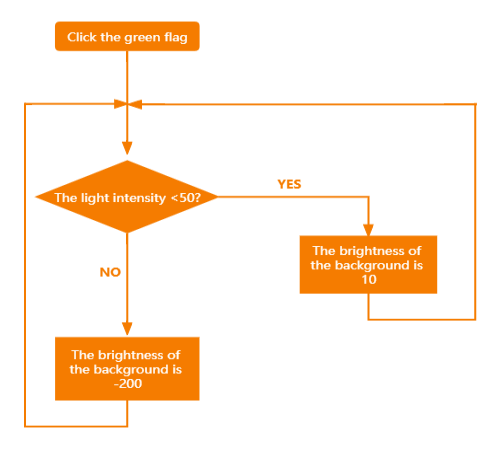
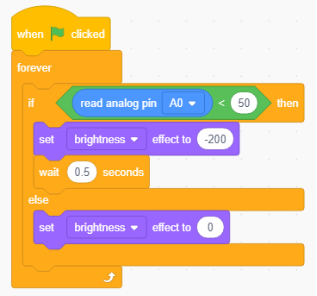
Select “Abby” and build the program, as shown below:
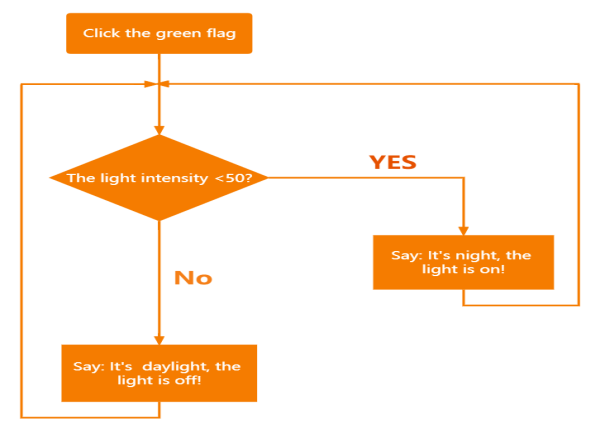
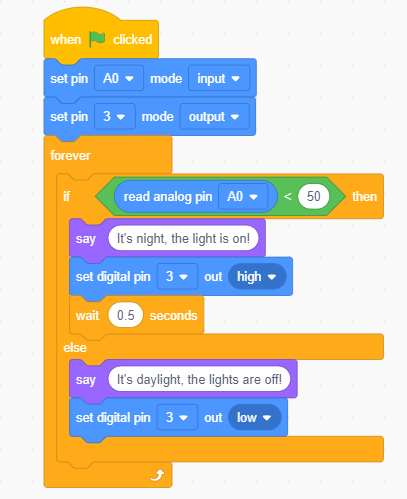
6.Test Result
Connect the wirings and the device then select the port, then click .If the light intensity detected by the ambient light sensor is lesConnect the wirings and the device then select the port, then clicks than 50, Abby will say:It’s night, the light is on! And Hall will be dark,the LED will be on. Otherwise the Abby will say:It’s daylight, the lights are off! And Hall will be bright,the LED will be off.
7.Program Explanation
Instruction |
Function |
|---|---|
|
If the light intensity detected by the ambient light sensor is less than 50, Abby will say: It’s night, the light is on! |
|
Otherwise the Abby will say: It’s night, the light is on! |
|
If the light intensity detected by the ambient light sensor is less than 50, the brightness of the background will be -200 |
|
The brightness of the background will be 10. |