Project 12 A Flying Balloon
1.Description
When we throw a balloon to the height, it will rise slowly and turn around in the sky with the wind then slowly fall. When the balloon falls above our heads, touch it with a finger, then it will fly into the sky again.
In this project, there is a vibration tilt module, which can detect vibration and tilt. By using its characteristics, we can achieve the above interactive effect.
Task analysis
Sensor |
Vibration Tilt Module |
|---|---|
Role |
Cat |
Background |
Bench With View |
Result |
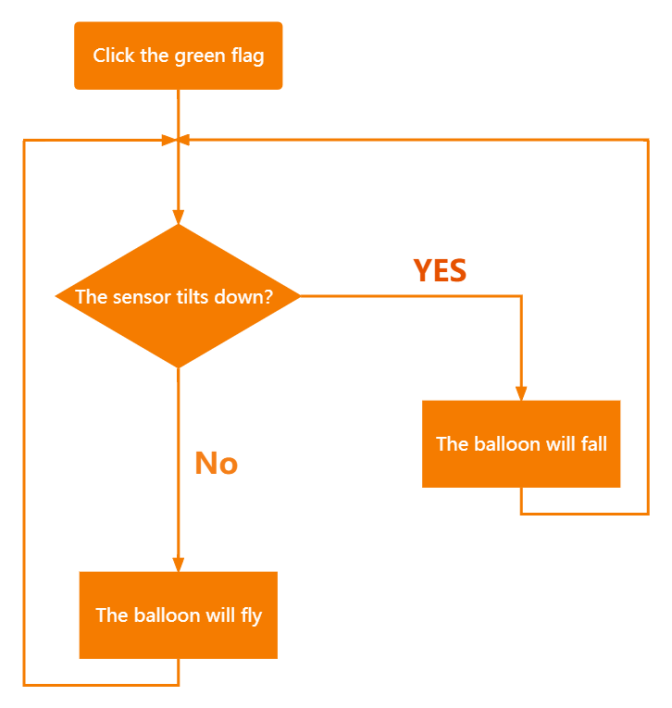
The balloon flies when the sensor tilts up. The balloon falls when the sensor tilts down. |
2.Vibration Tilt Module Introduction
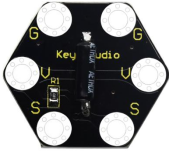
The keyestudio vibration tilt module can be used to detect vibration and tilt. The SW-200D vibration switch element adopted on this module is a ball type tilt induction unidirectional trigger switch, one end of which is gold-plated(trigger end), the other is silver-plated (conductive end).
When the module is in the horizontal position or inclined to the conductive end (silver-plated), the switch element is in OFF state and the signal end outputs a high level. When the module is tilted to the trigger terminal (gold-plated), the switch element is ON state, and the signal terminal outputs a low level.
When the angle of the conductive end (silver-plated) is lower than 10 ° horizontally and the module is shaken by external force, so the trigger end (gold-plated) will be in a short-time ON state, which makes the module detect vibration.
Specifications:
Working voltage: DC 3.3-5V
Working current:60mA
Maximum power:300mW
Working temperature:-25℃–65℃
Dimension: 30mm27mm5mm
Weight:2.0g
Environmental protection attributes: ROHS
3.Components Needed
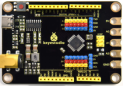
Control Board * 1 |
USB Cable*1 |
Connection Wires |
Vibration Tilt Module * 1 |
|---|---|---|---|
|
|
|
|


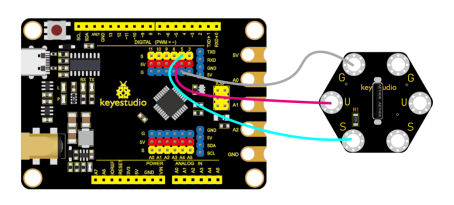
4.Connection Diagram
5.Test Program
1.Open“KidsBlock”software to create a new project.
2.Delete the beetle role.
3.Select “balloon1”and “Cat”:click the background library icon in the lower right corner to select “balloon1”and “Cat”.

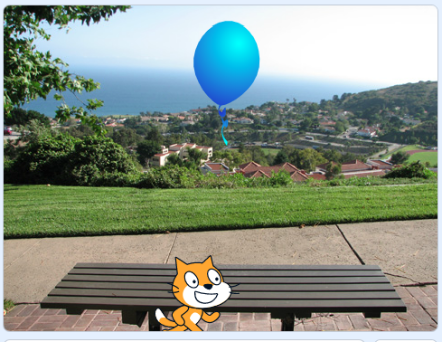
4.Select “Bench With View”, as shown below:

5.Select “balloon1”and “Cat”, as shown below:
6.Flow Chart
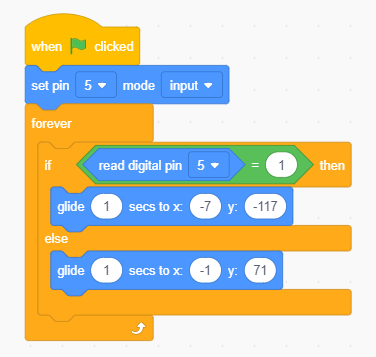
7.Build the program
Select “balloon1”and build the program, as shown below:
6.Test Result
Connect the wirings and the device then select the port, then click .The balloon flies when the sensor tilts up. The balloon falls when the sensor tilts down.