Project 7 A Frightened Butterfly
1.Description
Have you ever caught butterflies? As we all know, the butterflies will feel frightened and fly away when we are close to them. In this project, we will make an experiment with a butterfly.
Task analysis
Sensor |
Capacitive Touch Module |
|---|---|
Role |
Butterfly 1 |
Place |
Forest |
Result |
The butterfly will fly away when we touch the sensor |
2.Capacitive Touch Module Introduction
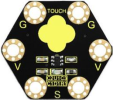
The Keyestudio capacitive touch module mainly uses touch detection IC, which is a digital signal output device. The touch detection IC is designed to replace the traditional button with a variable area key, featuring low power consumption and wide operating voltage.
When power on the module, it needs a stabilization time of about 0.5 sec. During this period, do not touch the keypad. At this time, all functions are disabled, and self-calibration is always performed.
If we don’t touch the key, the recalibration period is about 4.0sec. Capacitive touch sensors can be used in many places such as waterproof electrical appliances and button key replacement.
Specifications
Operating voltage: DC 3.3V~5V
Output signal:Digital signal
Dimension: 31mm27mm2.5mm
Weight: 1.7g
Environmental protection attributes:ROHS
3.Components Needed
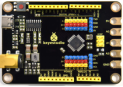
Control Board * 1 |
USB Cable*1 |
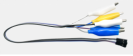
Alligator Clip Wire*3 |
Capacitive Touch Module*1 |
|---|---|---|---|
|
|
|
|


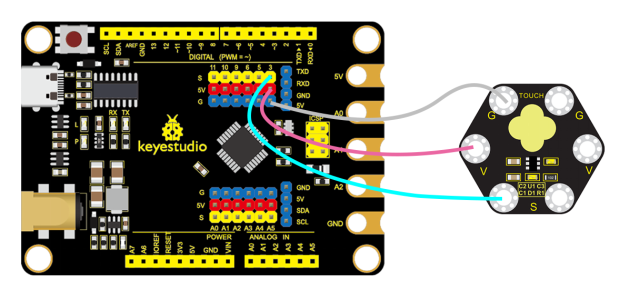
4.Connection Diagram
5.Test Program
1.Open“KidsBlock”software to create a new project.
2.Delete the beetle role.
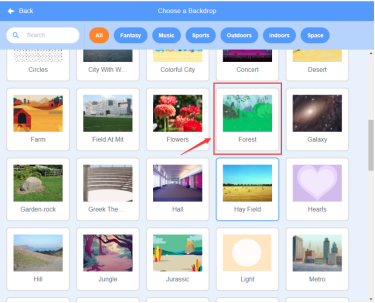
3.Select “Forest”:click the background library icon in the lower right corner to select Forest.
4.Select Butterfly 1and Cat, then click Butterfly 1 to choose Butterfly 1-C
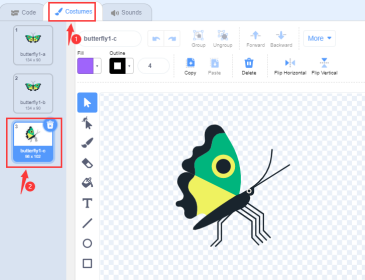
5.Adjust the position and dimension of the role
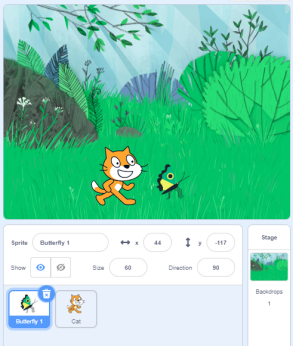
6.Build the program
①Select “Butterfly 1”and build the program.
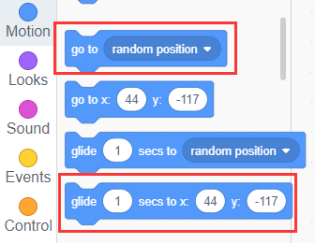
7.Save the project and name it“A Frightened Butterfly”.
6.Complete Program
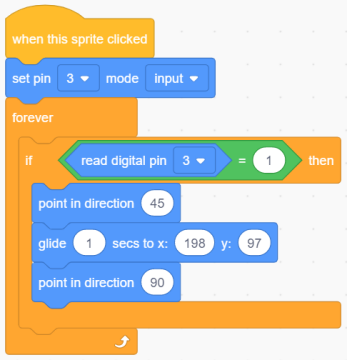
7.Test Result
Connect the device and select the port, then click .When we touch the capacitive sensor module, the butterfly will fly to the tree.


8.Program Explanation
Instruction |
Function |
Module |
|---|---|---|
|
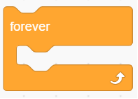
Execute it repeatedly |
Control |
|
The facing angle of role will be adjusted to 45 degrees. |
Movement |
|
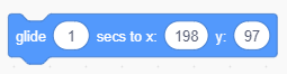
The role will fly to the specified position in 1s (X:198 Y:97). |
Movement |