Project 19 Dimming Lamp
1. Description
The dimming lamp adjusts the brightness of LED via a potentiometer and an Arduino controller. The brightness is subject to resistance value, which can be read and adjusted by connecting the ends of the potentiometer to digital or analog pins on board. What’s more, this system is applied to control voltage or current of other devices such as fans, bulbs and heaters.
2. Working Principle
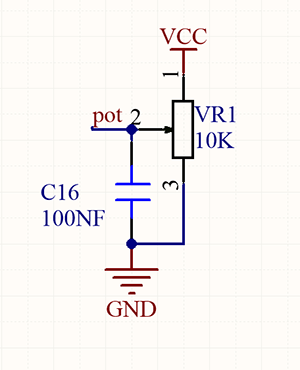
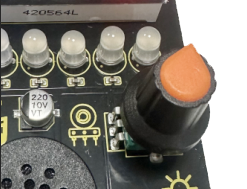
Essentially, potentiometer is an element that can change the value of resistance. According to Ohm’s law(U=I*R), the resistance affects the voltage. Our potentiometer is 10K.
In this project, the maximum resistance is 10K. The ESP32 board will equally divide the voltage of 3V into 4095 parts (3/4095=0.0007326007326). The analog voltage is obtained by multiplying the read value and 0.0007326007326.
3. Wiring Diagram
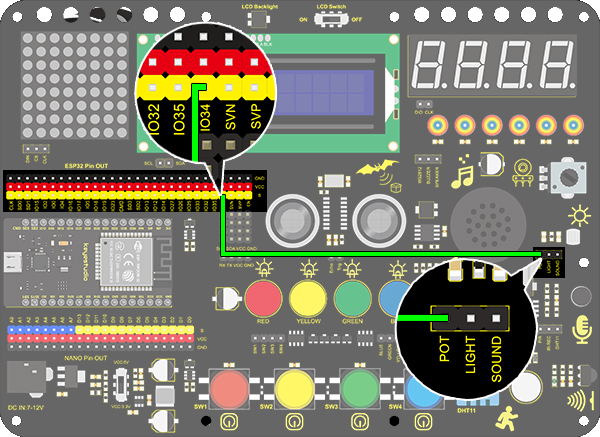
4. Test Code
/*
  keyestudio ESP32 Inventor Learning Kit
   Project 19.1 Dimming Lamp
  http://www.keyestudio.com
*/
int pot = 34;      //Define variable pot to IO34

void setup()
{
  // put your setup code here, to run once:
  Serial.begin(9600);		//Set baud rate to 9600
}

void loop()
{
  // put your main code here, to run repeatedly:
  int value = analogRead(pot);	//Read io34 and assign it to the variable value
  Serial.println(value);		//Print the variable value and wrap it around
  delay(200);
}
5. Test Result
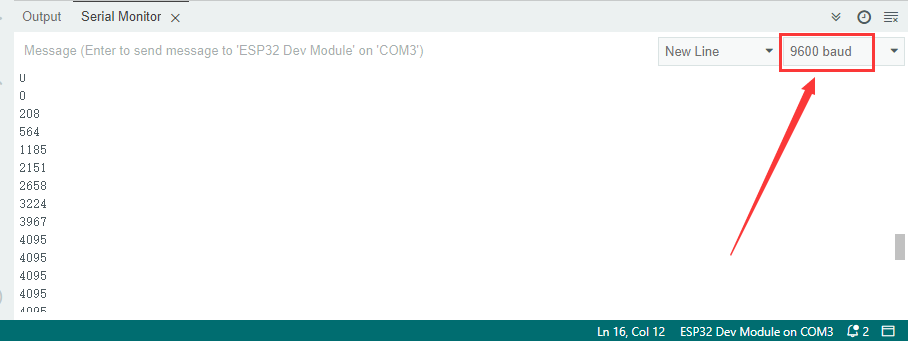
After connecting the wiring and uploading code, open serial monitor to set baud rate to 9600, and the analog value will be displayed, within the range of 0-4095.Rotating the potentiometer can change the size of the analog value.
6. Knowledge Expansion
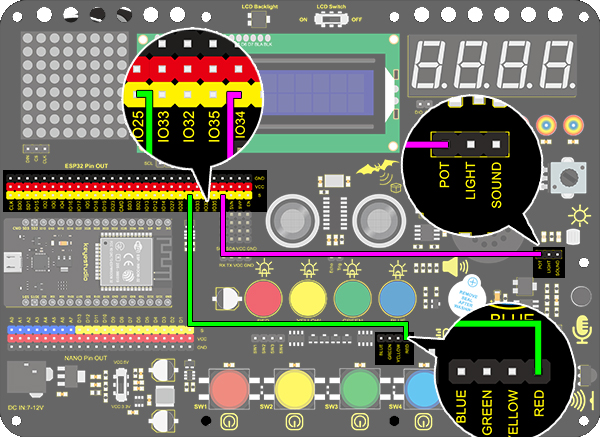
We will control the brightness of LED via a potentiometer. As we know, it is influenced by PWM. However, the range of analog value is 0-4095 while that of PWM is 0-255. Thus, a “map(value, fromLow, fromHigh, toLow, toHigh)” function is needed.
Wiring Diagram:
Code:
/*
  keyestudio ESP32 Inventor Learning Kit
   Project 19.2 Dimming Lamp
  http://www.keyestudio.com
*/
int led = 25;		//Define LED to IO25
int pot = 34;		//Define pot to IO34

void setup()
{
  // put your setup code here, to run once:
  pinMode(led,OUTPUT);		//Set LED pin to output
}

void loop()
{
  // put your main code here, to run repeatedly:
  int value = analogRead(pot);
  int led_val = map(value,0,4095,0,255);  //Convert the range of potentiometer analog value to the range we need
  analogWrite(led,led_val);
}
7. Test Result
After the code is uploaded successfully, rotating the potentiometer will change the brightness of the red LED.