2. Arduino Tutorial
2.1 Data download
Arduino information contains library files and project code, please click to download for follow-up study.
Data download: Arduino
2.2 Software Download
Open the browser and search: https://www.arduino.cc/en/software, we will take WINDOWS system as an example to show you how to download and install.
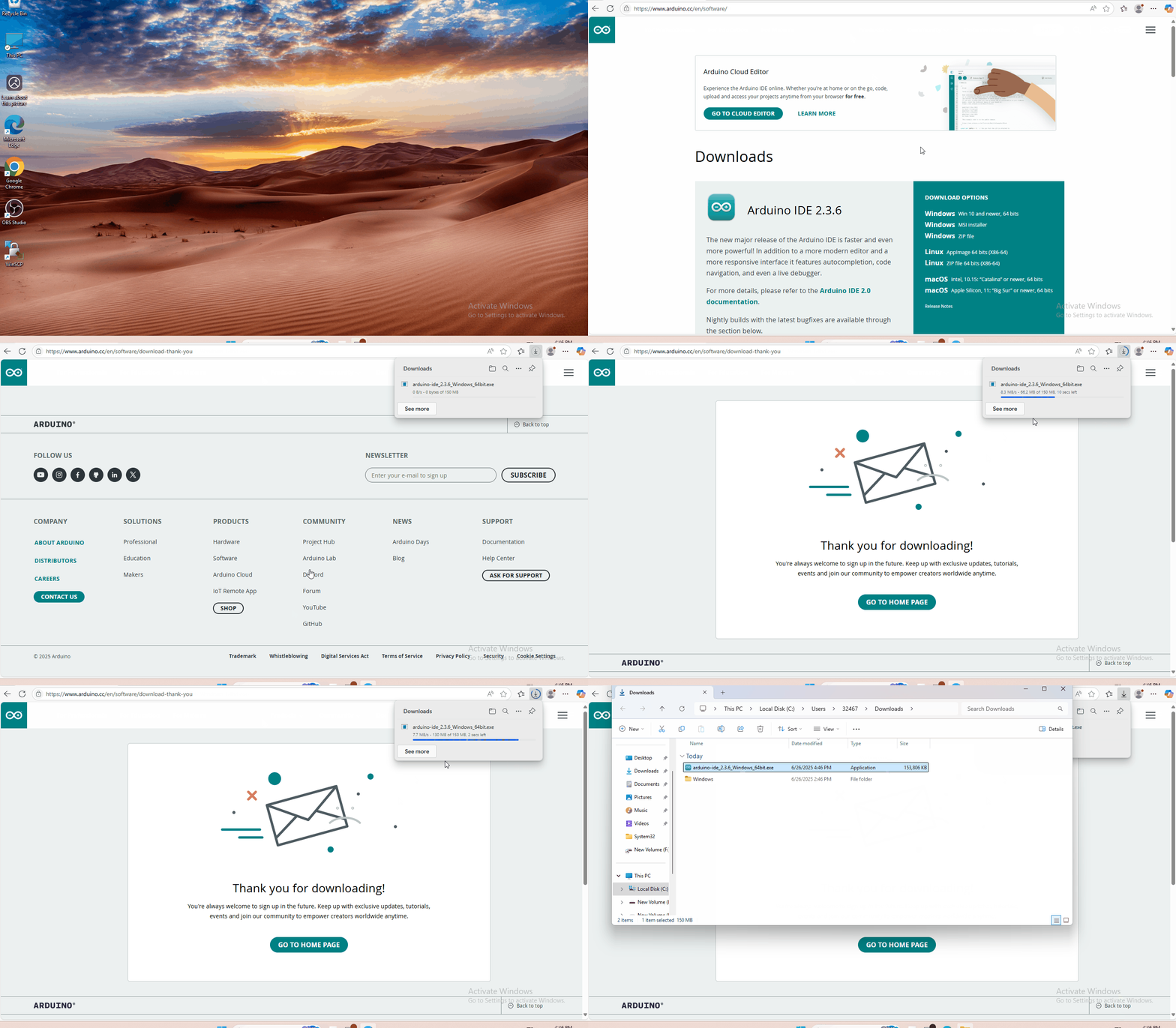
You just need to click JUSTDOWNLOAD,then click the downloaded file to install it.And when the ZIP file is downloaded,you can directly unzip and start it.
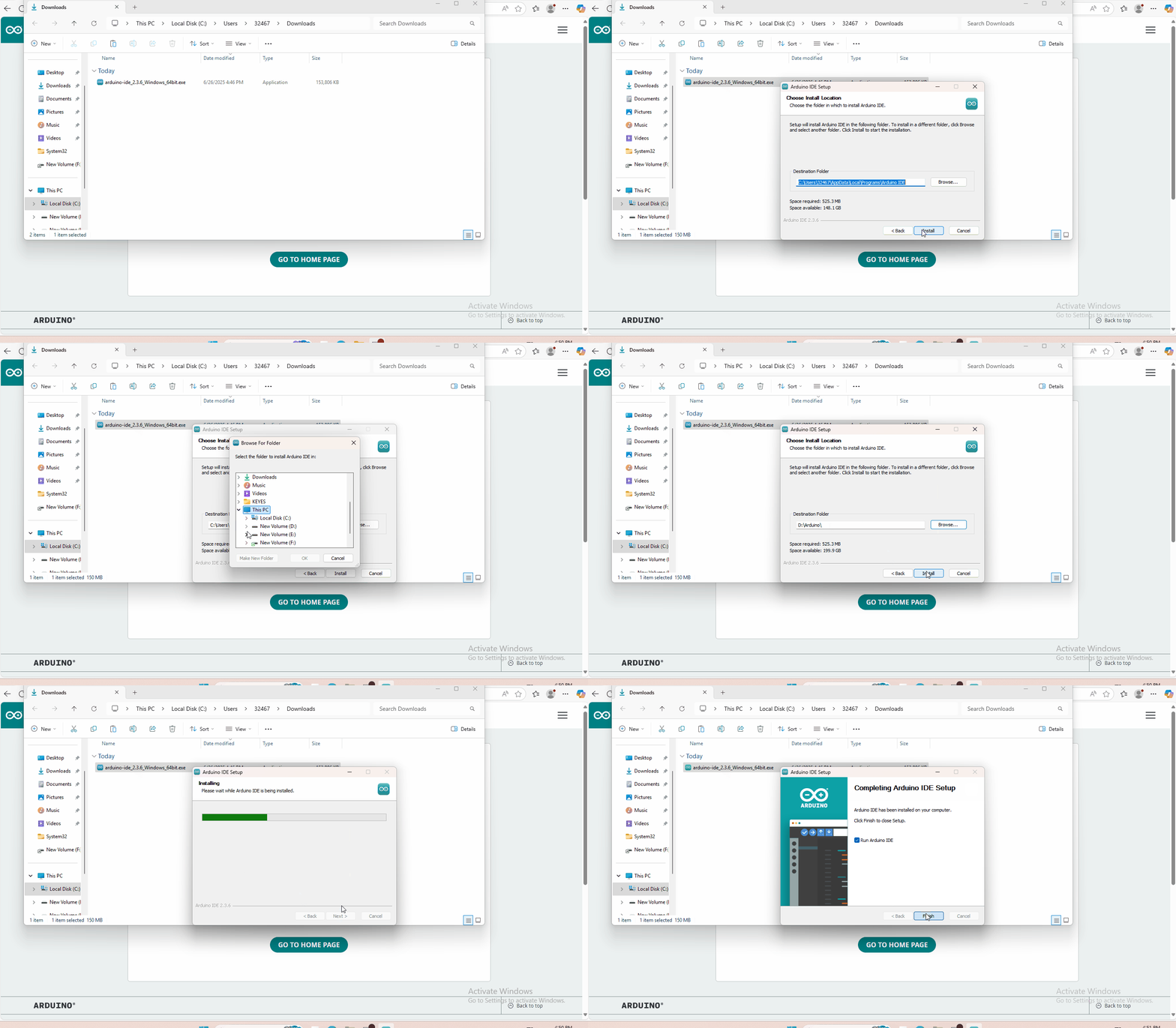
2.3 Set Arduino IDE
Connecting the board to the computer,and select the development board and port.

2.4 Add Library
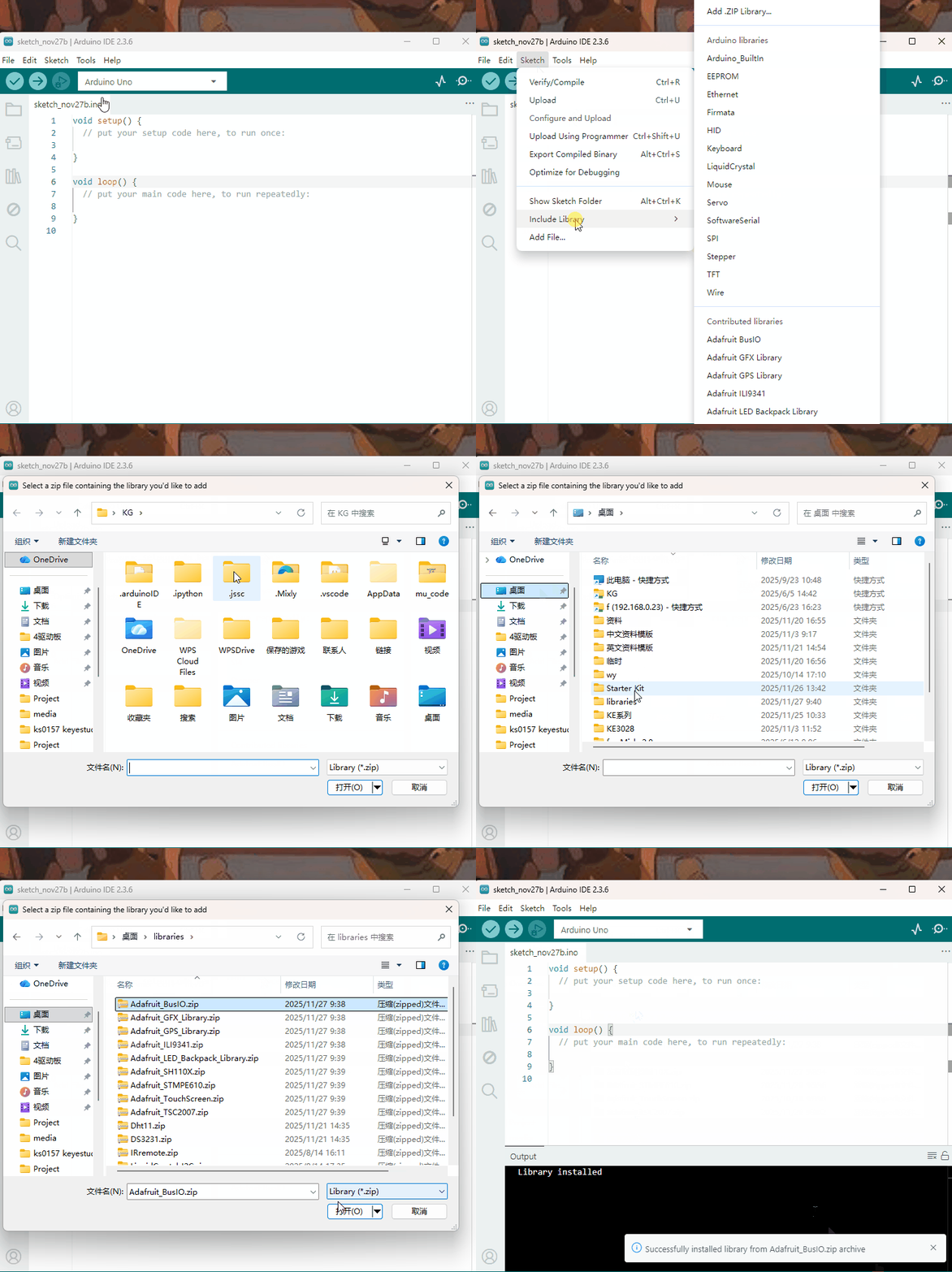
Open the Arduino IDE, follow [Sketch] → [Include Library] → [Add .zip Library]. This method can only import one library file at a time. If the product has multiple libraries, please import them one by one following this process!
2.5 Project
- Project 1 Who’s blinking
- Project 2 Flowing light
- Project 3 My LCD display
- Project 4 Running light
- Project 5 Control electricity
- Project 6 Black or white
- Project 7 Is there something upfront
- Project 8 Is the light blocked
- Project 9 It’s moving
- Project 10 Make a clock
- Project 11 What’s the air pressure
- Project 12 Bluetooth so easy
- Project 13 I receive a signal
- Project 14 Transmit a signal
- Project 15 How’s the air quality
- Project 16: Is there gas leakage
- Project 17 Did he drink
- Project 18 Somebody is in this area
- Project 19 What’s the temperature
- Project 20 How humid & hot is the air