Project 17 RGB
1.Overview
Do you guys know what is more interesting than blinking eyes? It is use RGB LED to change color.
Thus in this project, we will learn to create unique color combinations with the help of RGB LED module.
2.Components Required
Micro:bit Main Board *1
Keyestudio micro bit honeycomb 5050RGB Module *1
Micro:bit USB Cable *1
Alligator Clip Cable*4
3.Component Introduction
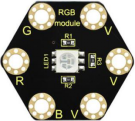
About keyestudio 5050 RGB Module For BBC micro:bit:
This module mainly contains a 5050 RGB LED, fully compatible with micro:bit control board.
When using, connect the RGB module to micro:bit control board using Crocodile clip wires.
There are total 6 rings on the module. Note that three V rings are connected. V ring for 3V; R, G and B ring is separately connected to signal pin (0 1 2) of micro:bit main board.
When three signal pins are LOW, module will gradually show red, green and blue light.
4.Technical Parameters
Working voltage: DC 3.0-3.3V
Control mode: active LOW(common anode)
Dimensions: 31mm * 27mm * 3mm
Weight: 1.8g
Environmental attributes: ROHS
5.Connection Diagram
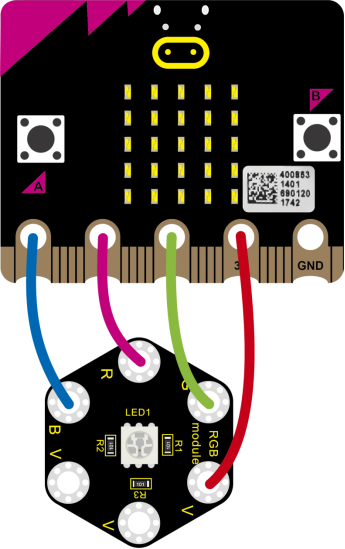
Connect the keyestudio 5050 RGB Module to micro:bit main board with 4 alligator clip cables. Ring B to P0, R to P1, G to GND, V to 3V.
Connect the micro:bit to your computer with a micro USB cable.
6.Coding
So now let’s move to coding. Below are some steps to follow.
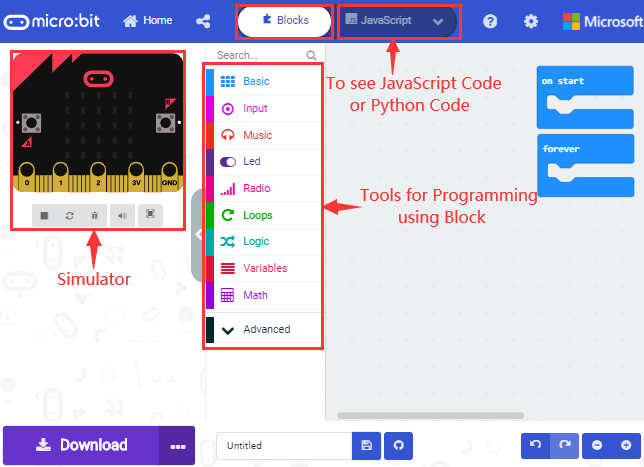
Open the https://makecode.micro:bit.org/#editorto write your code.
Microsoft MakeCode is actually a platform that allows us to code for a micro:bit, and also provides an interactive simulator where we can debug and run our code, and will be able to see what to expect out right there on the site.
Go to MakeCode and choose My Projects and click on New Projects.
If you want to see the codes behind, then you can click on JavaScript and it will display JavaScript code there in IDE.
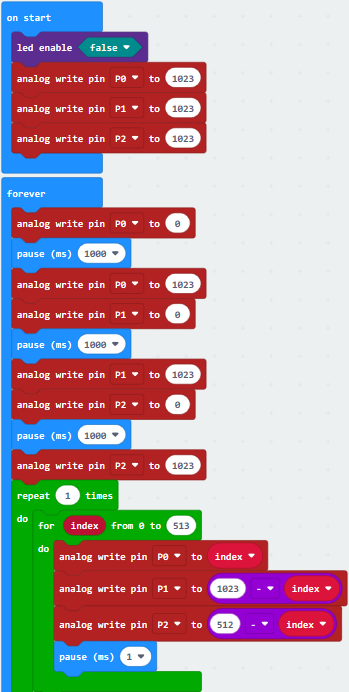
7.The following test code is for your reference
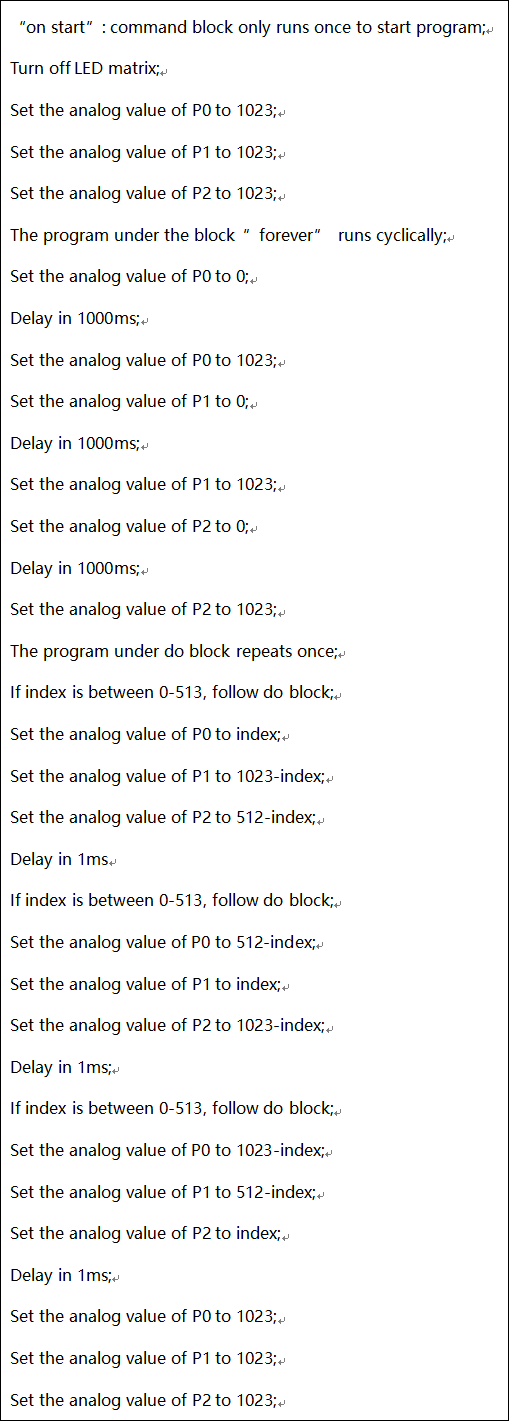
8.Test Results
Connecting according to the diagram and uploading the test code to the main board,you will notice that the LEDs of the RGB module flash in different colors.