Project 9 Speaker
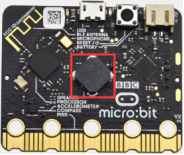
1.Project Description
The Micro: Bit main board V2 has an built-in speaker, which makes adding sound to the programs easier. We can program the speaker to air all kinds of tones .
2.Components Needed
Micro:bit main board V2 *1
Micro USB cable*1
3.Test Code
Link computer with micro:bit board by micro USB cable, and program in MakeCode editor.
(1)Enter“Basic”module to find “show icon”and drag it into “on start”block;
Click the little triangle to find” ”.
”.
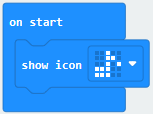
(2) Enter“Music”module to find and drug“play sound giggle until done” into “forever”block;
Enter“Basic”module to find and drug“pause(ms) 100” into “forever” block ;
Change 100 into 1000;
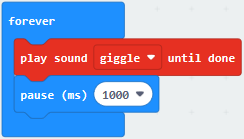
(3)Copy 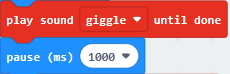 three times and place it into “forever” block ;
Click the little triangle to select “happy”,”hello”,”yawn”;
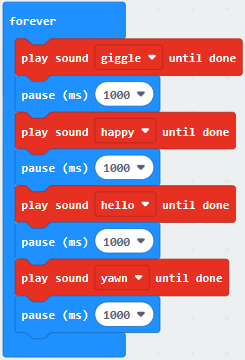
Complete Program:
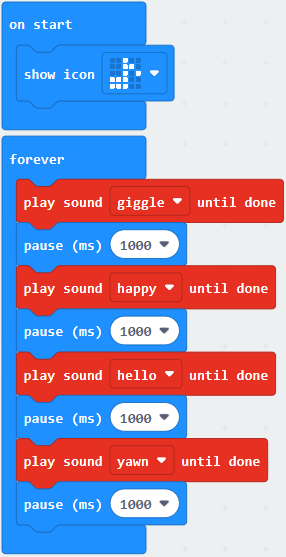
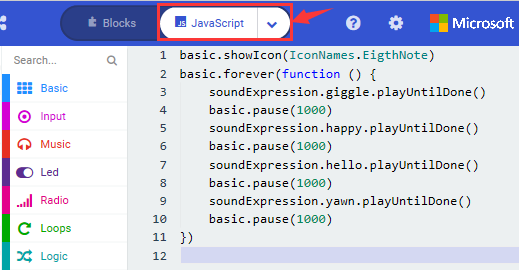
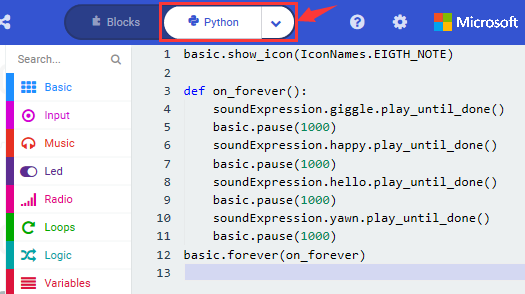
Select“JavaScript” and“Python”to switch into JavaScript and Python language code:
4.Test Results
After uploading the test code to micro:bit main board V2 and powering the board via the USB cable, the speaker utters sound and the LED dot matrix shows the logo of music.